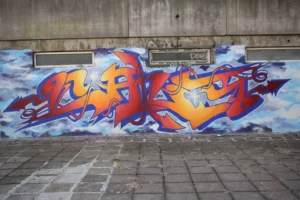
Wall Printer FAQ Hub: 50 real questions buyers ask—answered clearly. If you share your wall surfaces + typical height, we can recommend the right workflow and configuration.
External: wall printing machine
Quick definitions (so we’re talking about the same thing)
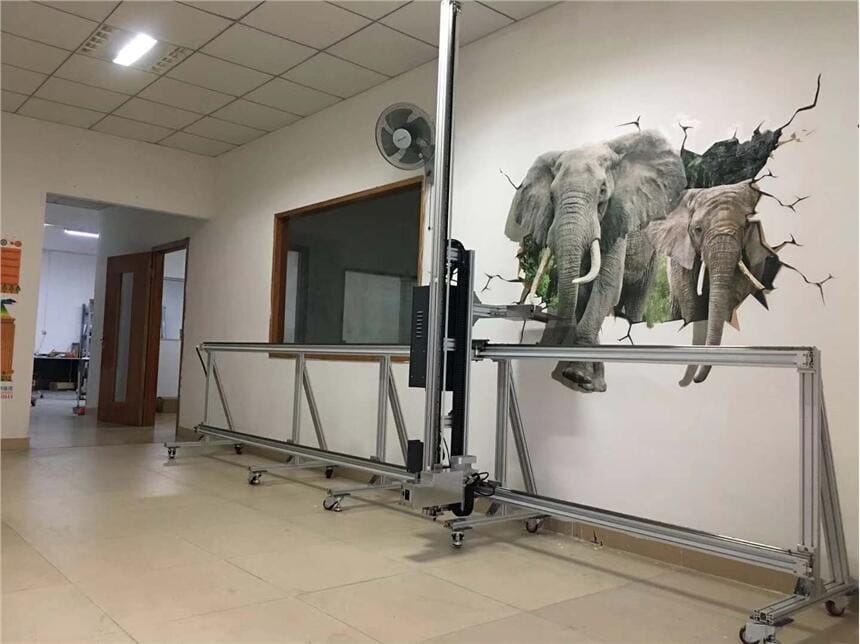
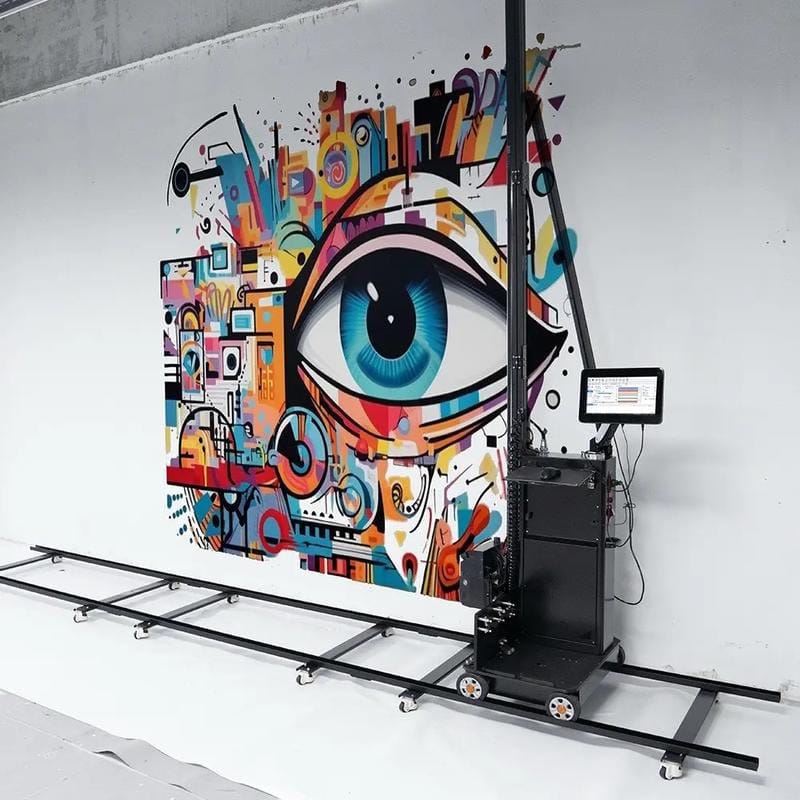
A wall printer (also called a wall printing machine or vertical UV wall printer) prints graphics directly onto vertical surfaces such as drywall, concrete, brick, tile, glass, and wood (surface-dependent). Most systems use UV curing so prints can cure quickly after printing.
If you’re new, focus on what controls output
- Surface prep (clean, stable, dry)
- Leveling (prevents banding and drift)
- Distance control (edge sharpness + head safety)
- Test patch (insurance on risky walls)
Workflow reference: /wall-printing-workflow/
Buying & pricing FAQs (1–12)
- How much does a wall printer cost?
Price depends on print height, configuration, white ink needs, and wall-only vs wall+floor. Budget “all-in”: machine + shipping + ink/tools + training + spare parts.Internal link: /wall-printer/price-guide/ - What’s the biggest hidden cost?
Downtime and rework. A slightly cheaper machine can cost more if support is slow and parts are unclear. - What affects price the most?
Print height, printhead/channel configuration, white ink workflow capability, stability design, and support system. - Should I choose wall-only or wall + floor?
Wall-only is simpler to sell and standardize early. Wall+floor can raise AOV if your market buys “space packages” (wall mural + floor wayfinding/event). - What’s the safest buying channel: dealer, marketplace, or factory-direct?
For business use, the safest channel is usually the one with engineer-level support and a clear service SOP (fast response + parts plan). - Is buying from a marketplace (Amazon) safe?
It can work for occasional use, but businesses face higher risk if the seller is a trading company with weak support and unclear parts sourcing. - How do I verify a seller is a real factory?
Ask for production proof videos, crating/packing evidence, service SOP, and real customer cases in your region/market. - What warranty terms should I confirm?
Coverage scope, duration, exclusions (consumables), and the real process: diagnosis steps, proof required, and turnaround time. - What should I ask before paying?
Real output on your surfaces, live setup guidance, support response time, spare parts list, packed size/weight, voltage/plug configuration. - Do I need training if I’m experienced with printers?
Yes—wall printing is jobsite workflow (leveling + distance + surface). Even experienced print operators need a wall-specific SOP.Internal link: /wall-printing-workflow/ - Is the “lowest price” usually worth it?
Only if uptime remains stable. If support is slow, downtime costs more than the upfront saving. - What should my startup budget include beyond the machine?
Shipping/import, first ink/tools, spare parts kit, sample boards/demo walls, and basic marketing (gallery + local SEO + photos/videos).See examples: /gallery/
Output & surfaces FAQs (13–26)
- What walls can a wall printer print on?
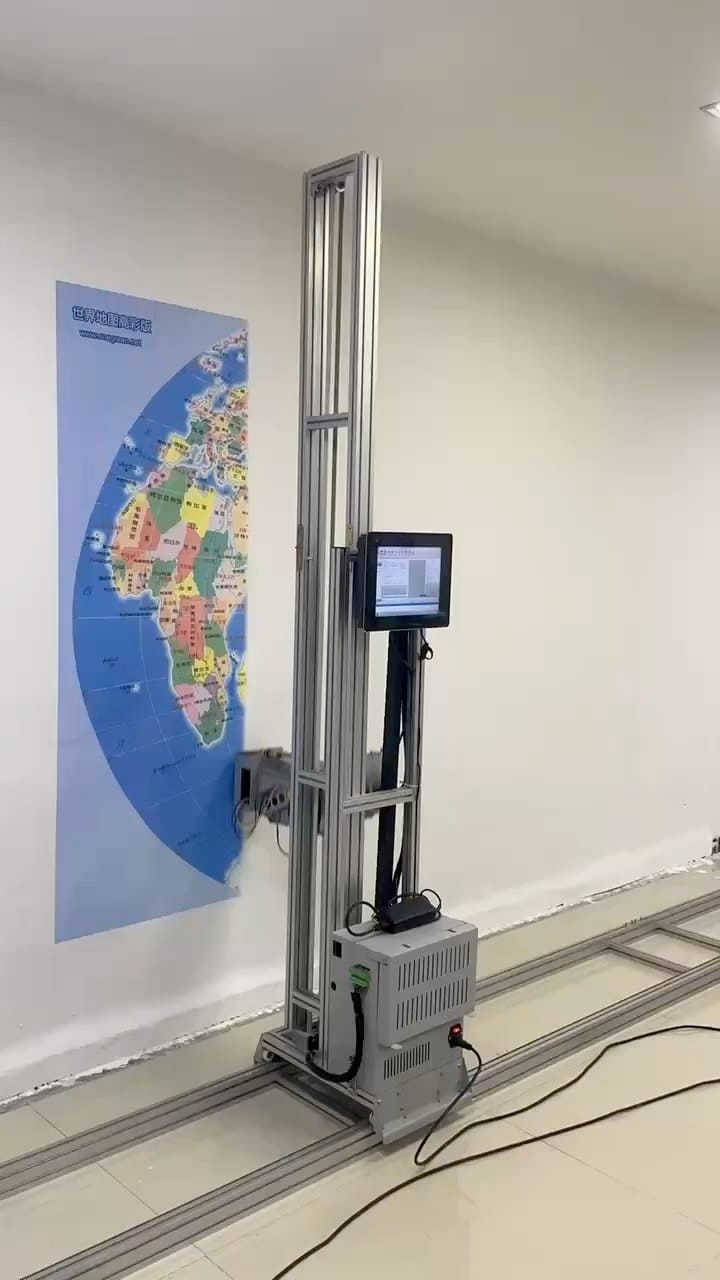
Drywall, concrete, brick, tile, glass, wood, and many painted surfaces—results depend on stability, cleanliness, and texture. - What’s the easiest surface for beginners?
Smooth painted drywall (clean, stable, dry). It’s forgiving and shows true file quality. - Can it print on brick?
Yes, but fine detail softens due to grooves/texture. Bold shapes and large text work best.Internal link: /print-on-brick-wall/ - Can it print on raw concrete?
Often yes, but raw concrete can be dusty/porous—prep and a test patch are mandatory for adhesion reliability.Internal link: /print-on-concrete-wall/ - Sealed concrete vs raw concrete—what’s the difference?
Sealed concrete is usually more consistent. Raw concrete can absorb unevenly and carry dust that hurts adhesion. - Can it print on tile and glass?
Often yes, but non-absorbent surfaces demand strict degreasing and test patch discipline.Internal link: /print-on-tile-and-glass/ - Can it print on glossy paint or semi-gloss?
Sometimes—cleanliness and stability matter more than sheen. Always test patch first. - Can it print on textured paint?
Yes, but you must design for texture: larger text, bolder shapes, less micro-detail. - How sharp will small text look?
On smooth walls, small text can be crisp. On rough walls, increase font size and simplify. Distance control is critical. - Why do gradients look uneven on some walls?
Wall texture, surface variation, dust, or fast mode settings can show banding/stepping. A test patch reveals this early. - Can it print outdoors?
Sometimes—outdoors adds dust, moisture, wind, and sunlight. Use strict acceptance rules and price risk properly.Internal link: /outdoor-wall-printing/ - What outdoor surfaces work best?
Stable painted masonry/concrete with low dust and a dry wall. Avoid damp, chalky, or flaking paint. - What walls should I refuse?
Damp walls, chalky/flaking paint, oily contamination (kitchens), unstable coatings, and surfaces that fail a test patch. - How do I set expectations with clients on rough walls?
Show a close-up test patch and explain texture limits detail. Sell “big impact” designs instead of photo-grade micro detail.
White ink FAQs (27–34)
- Do I need white ink?
If you print on dark walls or need bright brand colors on colored surfaces, white ink is usually the difference between “muddy” and “bright.”Internal link: /white-ink-wall-printer/ - What does white ink actually do?
It creates an opaque base that blocks the dark wall color so CMYK can stay bright and consistent. - Underbase vs spot white—what’s the difference?
Underbase prints white under the whole design (max brightness). Spot white prints white only where needed (faster, less ink). - Do I need white ink for every project?
No—white ink is most valuable for dark/tinted walls or when you need strong brand color accuracy on colored surfaces. - What’s the #1 rule for dark wall printing?
Test patch is mandatory. Dark walls amplify workflow mistakes.Workflow: /wall-printing-workflow/ - Why does white ink sometimes look uneven?
Surface variation, contamination, distance inconsistency, or unstable settings. Clean/prime risky walls and tighten leveling + distance control. - Is white ink harder to maintain?
It can require more discipline—follow daily routines and storage guidance to reduce instability and clogs. - Can “3D/2.5D” effects use white ink?
Some tactile layering workflows use white ink as part of the layer-build strategy, then print color on top—QC discipline matters.
Setup & maintenance FAQs (35–46)
- What causes banding?
Leveling and distance inconsistency are the most common causes.Internal link: /wall-printer-troubleshooting/ - What causes blurry/soft edges?
Distance too far, wall texture, or vibration. Fix distance and redesign for bold elements on rough walls. - What causes alignment drift on long walls?
Base instability, start point errors, or inconsistent movement. Mark reference lines and keep the jobsite stable. - Should I do a test patch every job?
Do it for new surfaces, dark walls, premium jobs, and any wall that looks risky.Workflow: /wall-printing-workflow/ - What should a test patch include?
Small text (edges), gradient (banding), solid block (uniformity), and a detail area (real output check). - What’s the safest “first wall” to practice on?
Smooth drywall with a bold design (avoid tiny text). Print in quality mode to learn stable output first.Setup guide: /wall-printer-setup-guide/ - How important is leveling?
It’s non-negotiable. “Almost level” is a common reason for banding and long-wall drift. - What daily maintenance should operators do?
A short daily routine prevents small issues from becoming downtime—cleaning steps + quick checks.Internal link: /wall-printer-maintenance/ - What weekly maintenance matters most?
Dust control, rails/base inspection, leveling tool checks, and reviewing your problem log for repeat issues. - What monthly checks reduce surprises?
Wear-point inspection, spare parts readiness review, and making sure every operator follows the same SOP. - What spare parts should I stock first?
Stock parts that stop you from printing today, take longest to ship, and can be replaced quickly on-site. - When should I stop printing and reset?
If defects show early (banding, adhesion failure, obvious misalignment). Rework is cheaper at 5% completion than 95%.
Business & ROI FAQs (47–50)
- Is wall printing profitable?
It can be when you sell outcomes (brand walls, photo zones, wayfinding) and reduce rework with strict SOP discipline.Internal link: /wall-printing-service/ - What kills profit fastest?
Travel time waste + rework. Protect margin with minimum charge + test patch discipline + realistic acceptance rules. - How do I get repeatable commercial work?
Sell packages, build a portfolio, and partner with designers/contractors/sign shops. Repeatability is the product.Gallery: /gallery/ - What should I send to get a fast quote + recommendation?
City, wall height range, surfaces, indoor/outdoor, dark wall needs, typical job size, and power standard.CTA: Get a quote
Printava recommendation (simple selection logic)
- Mostly walls (murals, brand walls, cafés, offices, homes): start wall-focused for easier selling and portfolio building.
- Higher ticket “space packages” (walls + floor wayfinding/event graphics): consider wall+floor to raise AOV and bundle value.
Consistency features that help (configuration-dependent)
- laser positioning for accurate layout and logo placement
- mosaic continuity for long walls and large visuals
- resume printing/data recovery to protect job completion
Wall Printer Quote Checklist (Send These 7 Items)
- Country + city
- Typical wall height range
- Typical job size
- Main wall surfaces
- Indoor only or indoor + outdoor
- Dark walls needed? (white ink yes/no)
- Power standard
CTA: Send your surfaces + height → recommended configuration + clear quote.
Mini FAQ (schema-friendly)
Q: Can a wall printer print on brick?
A: Yes, but bold designs work best.
Q: Do I need white ink for dark walls?
A: Usually yes for bright colors and brand consistency.
Q: What causes banding?
A: Leveling/distance inconsistency is the most common cause.
Q: Can wall printers print outdoors?
A: Sometimes—only when the wall is stable and dry, and risk controls are applied.
Q: What should I send for a quote?
A: City, wall height, surfaces, dark-wall needs, and power standard.