If you’re researching where to buy a wall printer, you’re not just asking “who sells it.” You’re asking which channel gives you the best mix of price, support, and long-term uptime.
In practice, most buyers choose one of three paths:
- local dealer/reseller (“wall printer near me”),
- online marketplaces,
- factory-direct (manufacturer direct).
This guide compares them with a business lens: downtime risk, support depth, total cost, and how to avoid the most common traps.
1) Where to buy a wall printer: the 3 buying channels
These three channels can all work. The difference is what risks you’re taking on after you pay.
1.1 Dealer / reseller (“near me”)
Feels safe because you can talk face-to-face and sometimes see a demo.
1.2 Online marketplaces
Convenient for browsing, but listings often hide important details about configuration, support, and what’s included.
1.3 Factory-direct
Often better value if you know what to ask and you care about support depth and parts planning.
2) Channel 1: dealer “near me” (pros/cons + checklist)
Good when the dealer truly owns support and parts—not just sales.
2.1 Why “near me” feels safe
- You may get an in-person demo
- Some dealers offer initial training
- Local language/time-zone communication
2.2 Hidden downsides (what most buyers learn later)
- Higher markups (middleman costs)
- Limited technical depth (many dealers still rely on the factory for real issues)
- Parts availability may be limited
2.3 Dealer checklist (ask these before you buy)
- Can you show real on-site installs (not just showroom)?
- What is support response time in hours?
- What spare parts are stocked locally vs shipped from factory?
- Who handles complex issues—dealer or factory engineer?
3) Channel 2: online marketplaces (what’s real, what’s risky)
Marketplaces can work—but only when configuration and support are explicit.
3.1 When marketplaces can work
- You’re buying from a verified brand store / verified supplier
- Listing clearly states configuration and support terms
- You can get live demo + test pack prints
3.2 The common risks
- Configuration ambiguity (you don’t know what you’re actually getting)
- Weak after-sales support (slow response, unclear warranty)
- “Cheap now, expensive later” due to downtime and missing parts planning
4) Channel 3: factory-direct (when it’s best)
Often the best fit for buyers who treat uptime as a business requirement.
Factory-direct is often best if:
- you want better value for the same configuration,
- you care about engineering-level support,
- you’re willing to follow a checklist and standardize your quote request.
Factory-direct is usually not ideal if:
- you refuse remote support, or
- you won’t prepare basic job inputs (wall heights, surfaces, power standard).
5) Quote checklist: compare offers fairly (copy/paste)
Standardize inputs first. Then compare price, support, and inclusions cleanly.
Shipping destination (Country, City)
Power standard (Voltage + plug type)
Typical wall height range (e.g., 2.5m / 3m)
Typical job size (m² per job + jobs per month)
Main surfaces (drywall/brick/concrete/tile/wood/glass)
Indoor only or indoor + outdoor
Dark walls needed? (white ink workflow yes/no)

Optional:
Wall-only or wall + floor
Support response time expectation (hours)
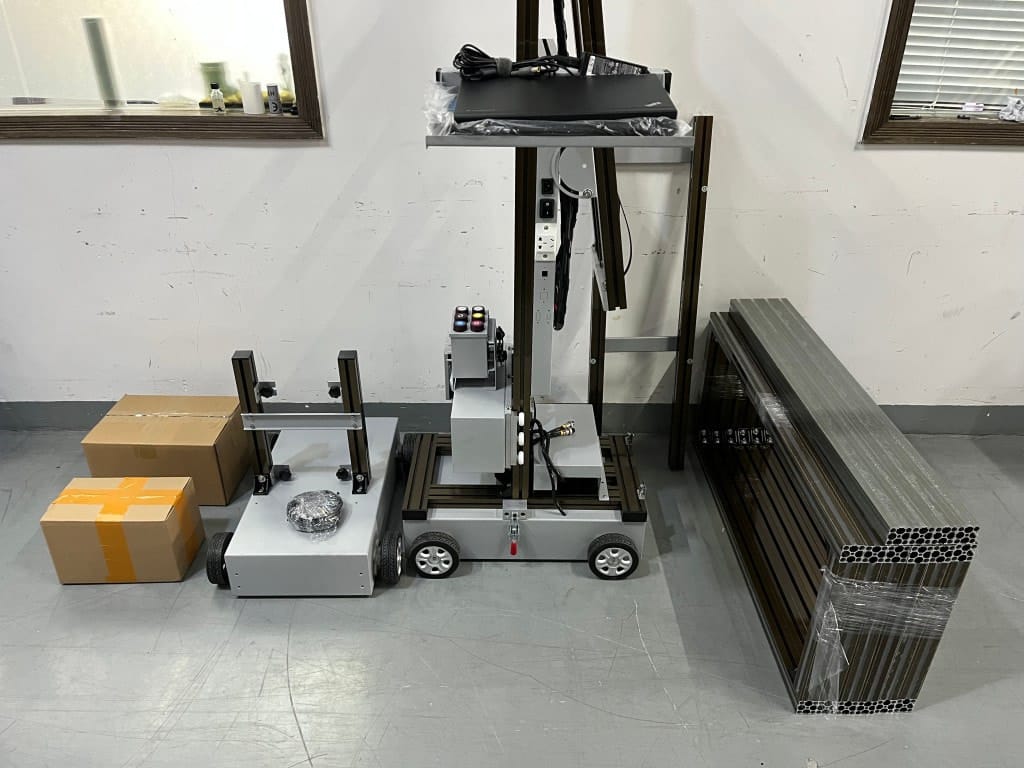
Packed size/weight + crating photos
6) Practical note: where Printava fits (low-hype, workflow-first)
The part you feel after purchase: predictability + support readiness.
If you’re choosing a channel, the biggest difference you’ll feel after purchase is workflow predictability and support readiness. Printava’s approach is to match configuration to your job profile (typical wall height, surfaces, dark-wall needs, and on-site frequency), then support that with setup guidance, maintenance SOP, and a starter spare-parts plan. That usually reduces wrong-model purchases and cuts rework caused by setup mistakes—especially for first-time buyers.
7) FAQ
Short answers to the buy-channel questions that matter.
7.1 Is “near me” always better?
7.2 Is factory-direct risky?
7.3 What’s the best way to compare sellers?
Next step
If you’re buy-ready, standardize your inputs and request a comparable quote.