
If you’re searching for a printava wall printer comparison, you’re likely past the “what is a wall printer” stage. You want one thing: a model choice you won’t regret after the first few real jobs.
This page combines a clear comparison + buying guide so you can choose between P600 Pro, P800 Pro, and P1000 Ultra based on workflow fit: what you print, where you print, and how sensitive your business is to rework and downtime.
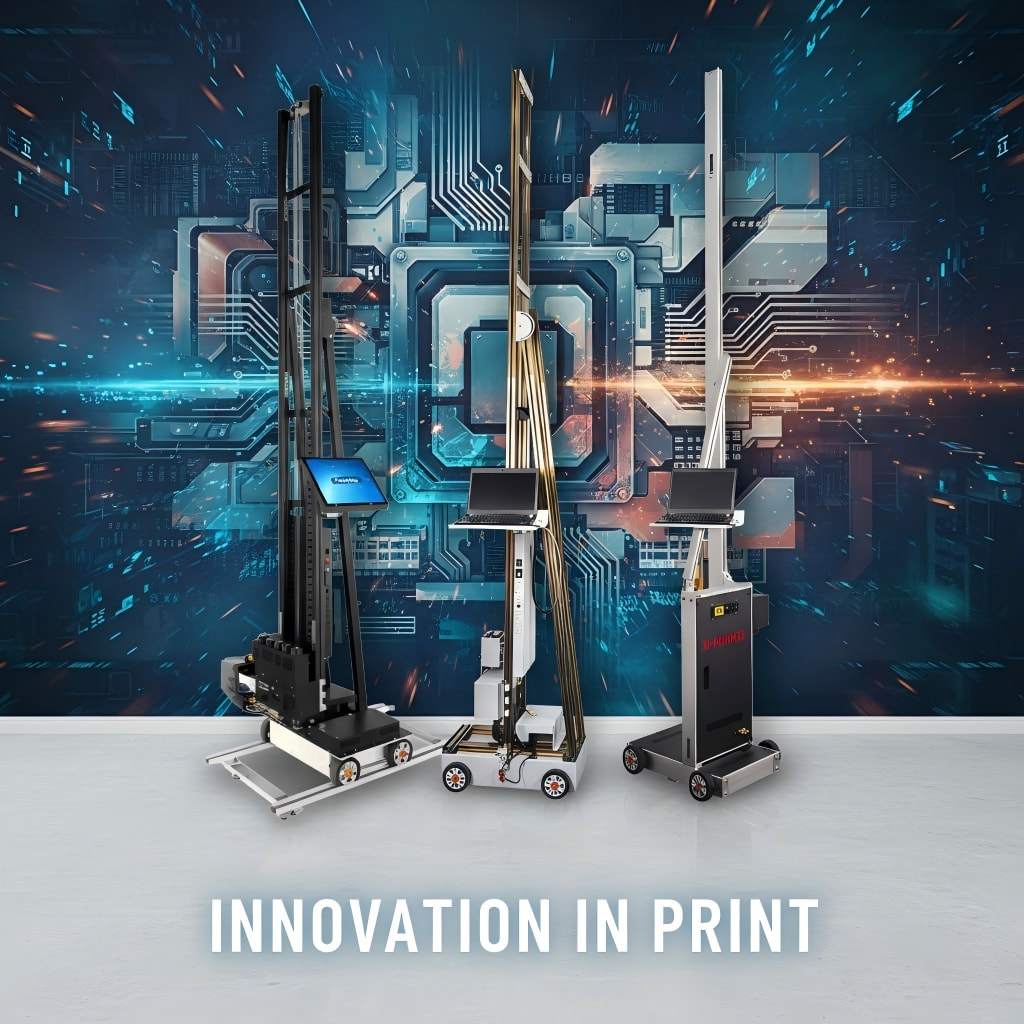
1) Printava wall printer comparison: choose in 30 seconds
Start with the business path. Then the model choice becomes obvious.
Choose P600 Pro if you’re starting with murals and want fast ROI
Pick P600 Pro when your core offer is wall murals + logo walls. Your priority is a stable start, a predictable learning curve, and avoiding overbuying before you validate demand.
Choose P800 Pro if you want to sell wall + floor packages
Pick P800 Pro when you already have mural demand and want to increase ticket size with floor graphics, wayfinding, and bundled commercial packages. Bundles often sell easier because clients feel they’re buying a “complete space upgrade.”
Choose P1000 Ultra if you sell premium and can’t afford mistakes
Pick P1000 Ultra when your projects are high-value or deadline-sensitive. At this stage, the biggest cost is usually rework and delays, not the machine price.
2) Printava wall printer comparison: what changes results (and what doesn’t)
Most “spec comparisons” miss what actually causes rework on real walls.
Many comparison pages obsess over headline specs. In real on-site jobs, results are mainly decided by:
- Workflow repeatability (setup → calibration → print → recovery)
- Alignment stability (how often you redo sections)
- Surface reality (texture, dust, paint type, dark walls)
- Support readiness (response time + spare parts plan)
That’s why this guide is structured around decision questions instead of “spec-sheet theater.” The best model is the one that makes your typical jobs more predictable and reduces rework loops.

3) P600 vs P800 vs P1000: quick comparison table (what buyers actually feel)
Use this as a fast fit-check before you go deeper.
| Decision factor | P600 Pro | P800 Pro | P1000 Ultra |
|---|---|---|---|
| Best fit | Beginner / mural-first | Growth-stage bundles | Premium delivery / uptime |
| What you sell | Murals, logo walls | Wall + floor packages | High-stakes installs |
| What matters most | Stable learning curve | Higher AOV per visit | Predictability & low rework |
| Rework sensitivity | Moderate | High (more scope) | Very high (premium clients) |
| Support importance | High | Very high | Critical |
4) Buying guide: 5 questions that decide the right model
Answer these once and your model choice becomes much safer.
Are you selling murals only, or packages?
If you sell mostly murals, your profit is driven by on-site time and rework rate. A stable mural workflow usually matters more than extra features.
If you sell packages, you win by increasing AOV: wall + floor + wayfinding in one visit is easier to justify for commercial clients.
How sensitive are you to downtime?
Downtime is the hidden cost. A cheaper machine becomes expensive when you miss deadlines, redo work, or lose clients due to delays. If you’re doing premium projects, predictable delivery is often worth more than saving upfront.
What wall height do you print most often?
Choose by the height you print every week—not “maximum height on paper.” Your typical wall height should drive configuration and accessory planning.
Do you print on dark walls?
If yes, confirm the real workflow: white ink steps, extra time, and how you prevent halo/bleed on real surfaces. This matters more than most buyers expect.
How often are you on-site (vs a controlled shop)?
On-site work increases variability: uneven floors, furniture constraints, lighting, interruptions. The more on-site you do, the more you should prioritize repeatability and error recovery.
5) Quote checklist: how to compare suppliers fairly (copy/paste)
Most quote requests are too vague (“How much is a wall printer?”), which produces quotes you can’t compare.
Shipping destination (Country, City)
Power standard (Voltage + plug type)
Typical wall height range (e.g., 2.5m / 3m)
Typical job size (m² per job + jobs per month)
Main surfaces (drywall/brick/concrete/tile/wood/glass)
Indoor only or indoor + outdoor
Dark walls needed? (white ink workflow yes/no)

Optional but recommended:
Wall-only or wall + floor
Support expectation: response time in hours
Ask for packed size/weight + crating photos
6) Uptime plan: support + spare parts (don’t buy without it)
Before you buy, confirm the supplier can protect your delivery schedule.
Before you buy, ask every supplier:
- Support response time: hours, not “soon”
- Starter spare parts kit: what’s included + delivery time
- Setup SOP + daily care routine + troubleshooting guide
- Live video support for first install
If a supplier can’t answer clearly, assume downtime risk is higher.

7) Practical note: where Printava fits (low-hype, workflow-first)
A short reality check: what matters after the purchase moment.
If you’re comparing wall printers, the biggest difference usually isn’t the headline spec—it’s how predictable your workflow becomes after purchase. Printava’s approach is to match configuration to your job profile (typical wall height, surfaces, dark-wall/white ink needs, and how often you print on-site), then support that with a clear setup workflow, maintenance SOP, and a starter spare-parts plan.
For first-time buyers, that typically reduces wrong-model purchases and cuts rework caused by setup mistakes. If you want, share your wall sizes and surfaces and we can recommend the right configuration before you request a quote: get a configuration recommendation.
8) FAQ
The most common buyer questions—answered clearly.
P600 vs P800 vs P1000: which model should a beginner choose?
Can I compare quotes from different suppliers fairly?
What’s the #1 mistake buyers make?
9) Next step: request a recommended configuration + clear quote
If you tell us your wall height range, common surfaces, whether you print on dark walls, and your city/country for shipping, we’ll recommend the right model (P600 / P800 / P1000) and send a clear, comparable quote.